每个 tmux 会话、每个 agent,走到哪都在手边。 Every tmux session and agent, wherever you are.
一眼看清全部,在哪都能回,HQ 替你盯着全场。终端、菜单栏、iPhone、iPad 和网页,看到的是同一份实时状态。 See them all at a glance, answer from anywhere, and let HQ keep watch over the whole fleet. Terminal, menu bar, iPhone, iPad and the web share one live state.
curl -fsSL https://raw.githubusercontent.com/chenchaoyi/gtmux/main/install.sh | bash 

支持 works with Claude CodeCodexGeminiCursorOpenCodeKimi CodeCopilotKiro 以及 tmux 里的任何程序 and any other program in tmux
所有会话,一块雷达。 Every session on one radar.
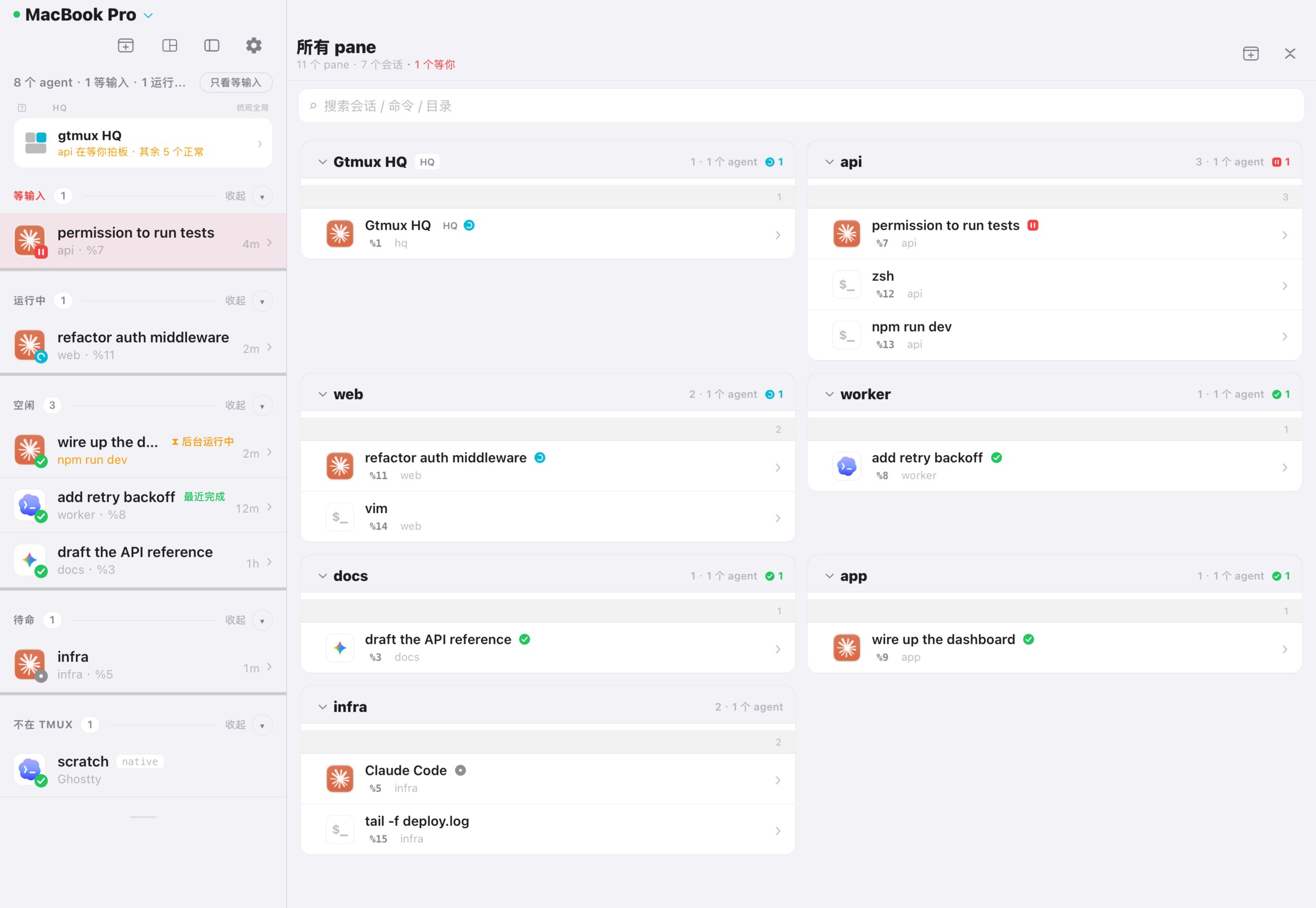
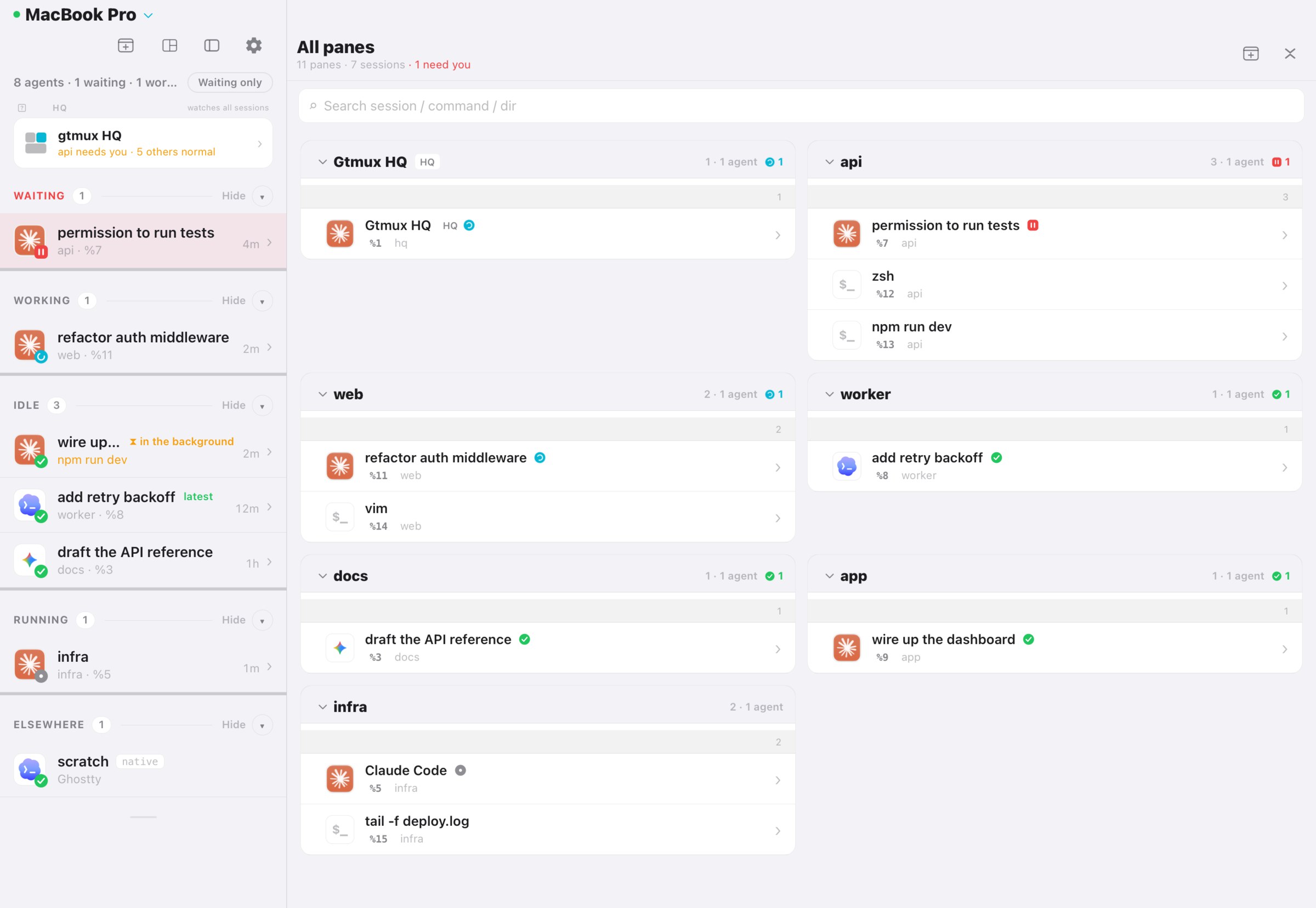
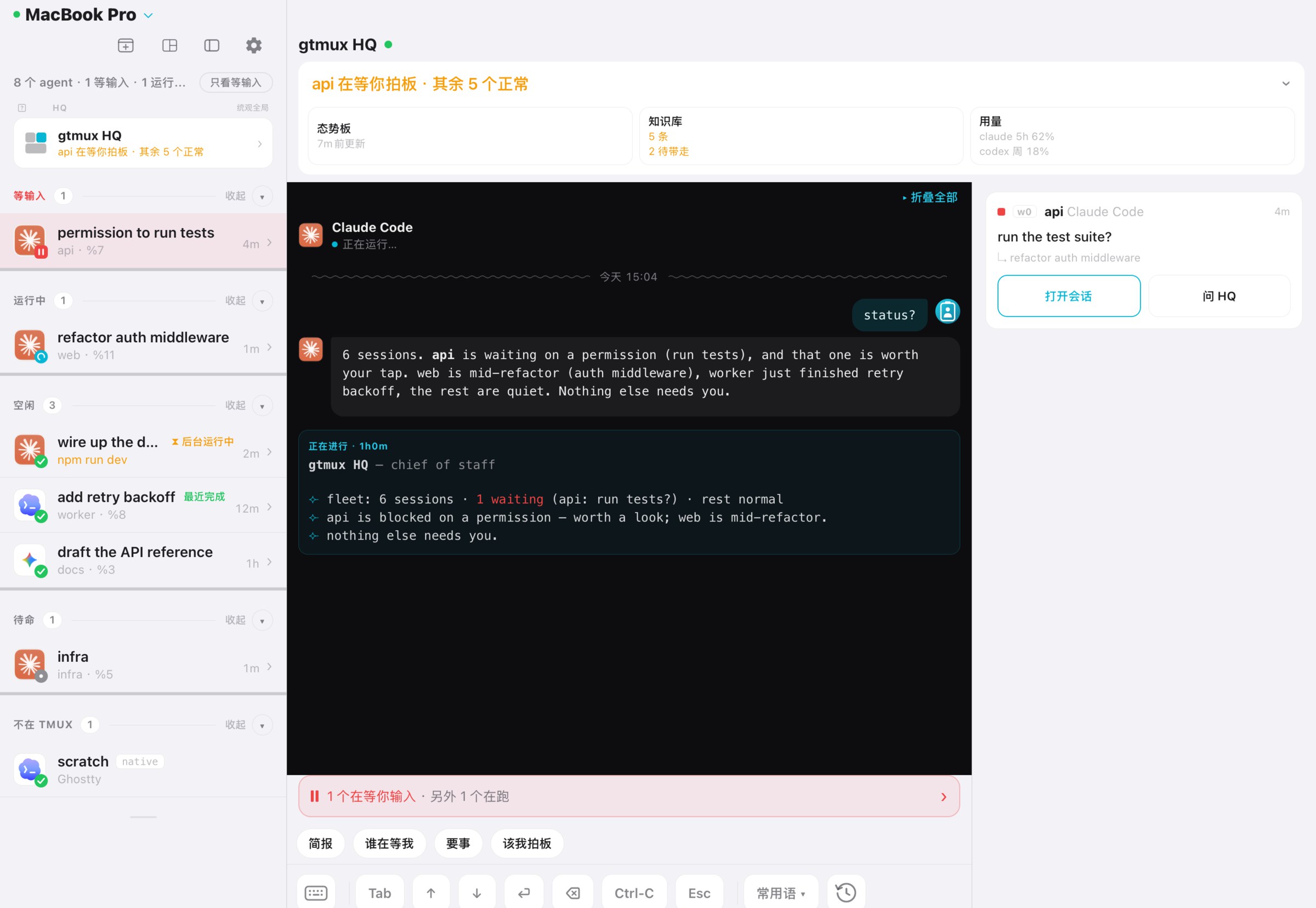
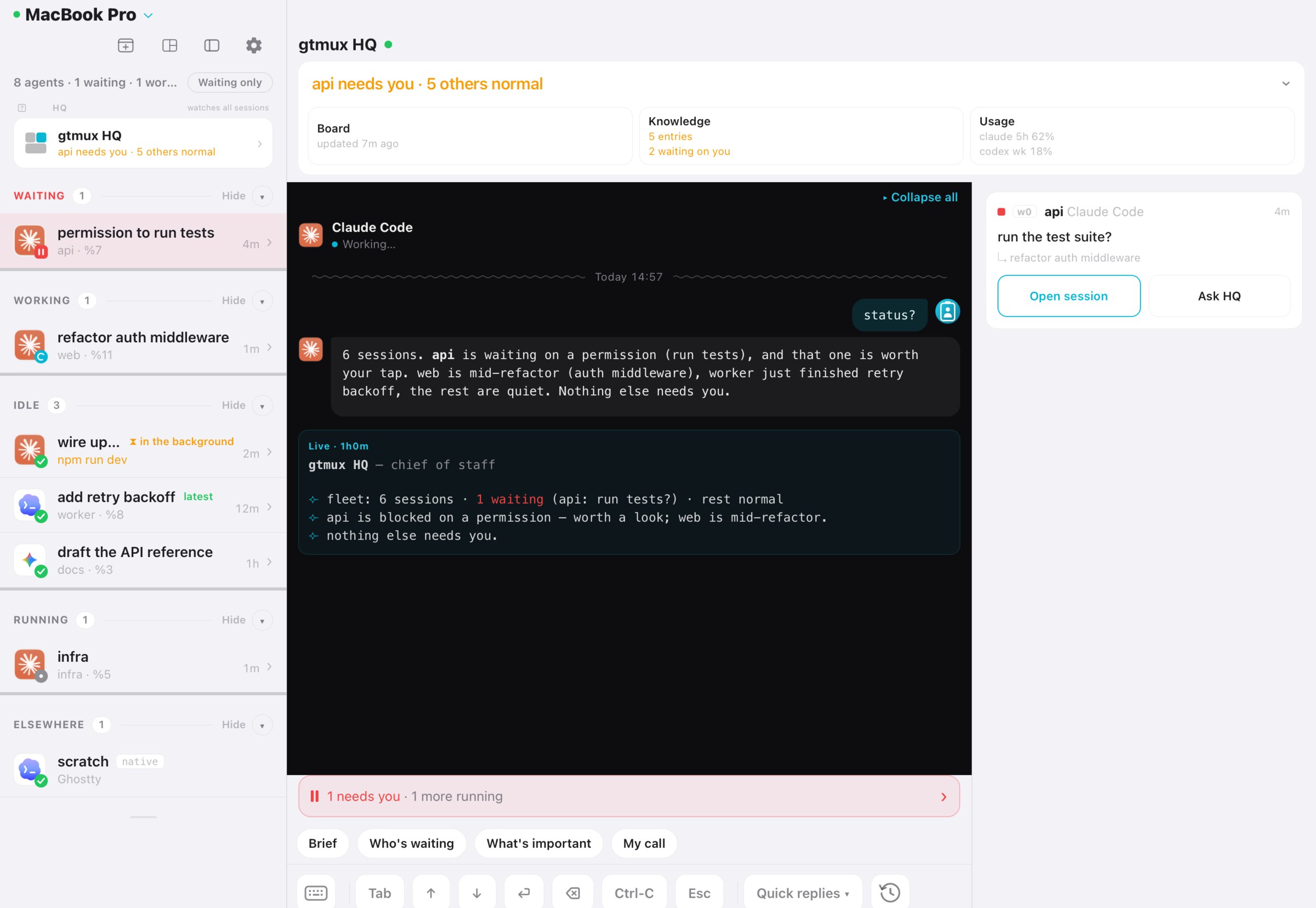
每个 agent 一行,等你的排在最上面,然后是在干活的、跑完的。颜色、形状和文字说的是同一件事,隔着屋子也看得清。shell、编辑器、dev server 这些普通 pane 也按会话列出来。 One row per agent, the ones waiting on you at the top, then the ones working, then the ones done. Color, shape and word all say the same thing, so it reads from across the room. Plain shells, editors and dev servers are listed too, grouped by session.
- ‖等输入waiting它停下来,在等你回答stopped, needs your answer
- ⠿运行中working正在跑,不用管on it, leave it be
- ✓空闲idle这一轮跑完了its turn is finished
- ●待命running认出了 agent,还不知道它在哪一步agent seen, turn state not known
- 终端里:
gtmux agents,加--watch常开。 In the terminal:gtmux agents, or keep it open with--watch. - 菜单栏:同一块雷达常驻顶栏,
⌘⌥G随时呼出。 In the menu bar: the same radar, always up top;⌘⌥Gopens it. - 一键跳转:点一行,那个终端窗口和 pane 直接到最前。 One click to jump: that terminal window and pane come to the front.
人在哪,就在哪回。 Answer from wherever you are.
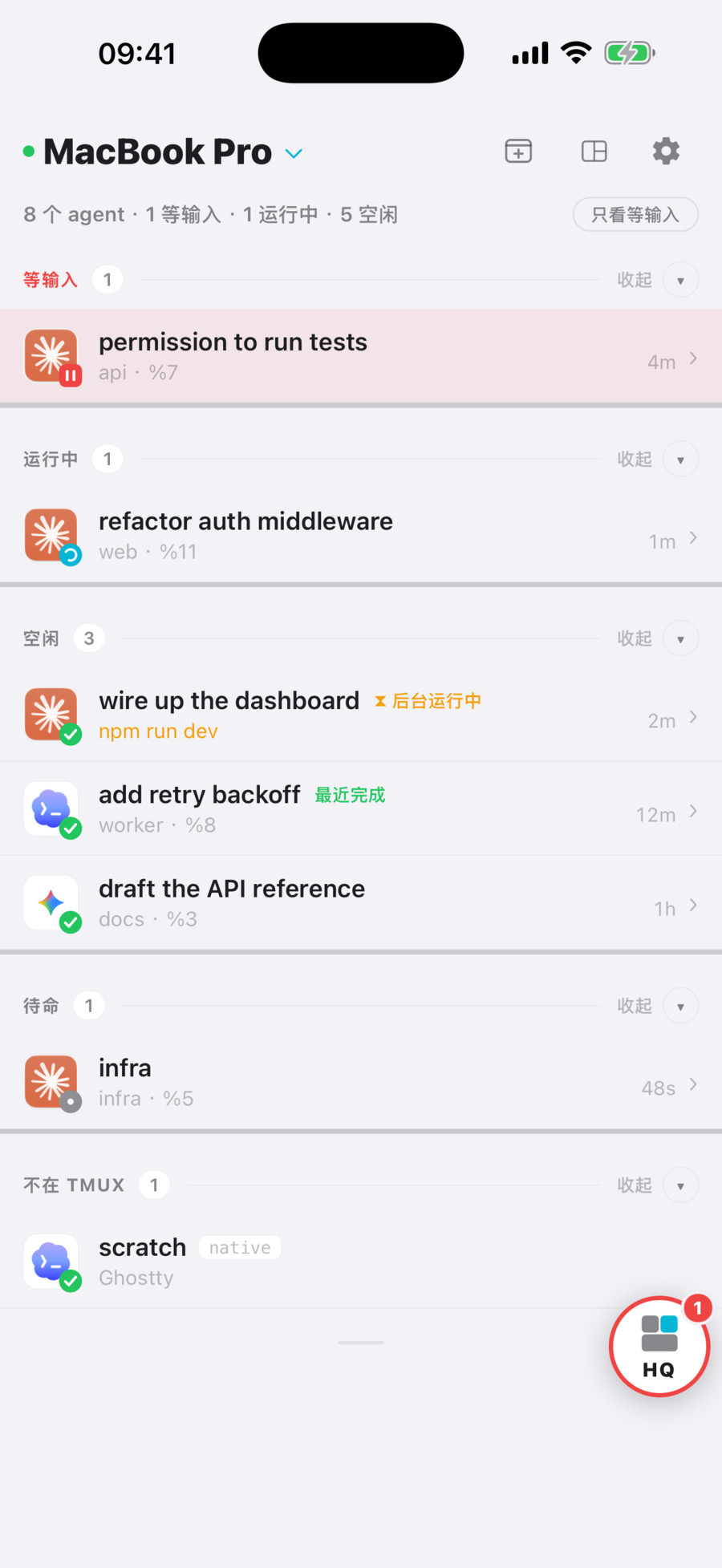
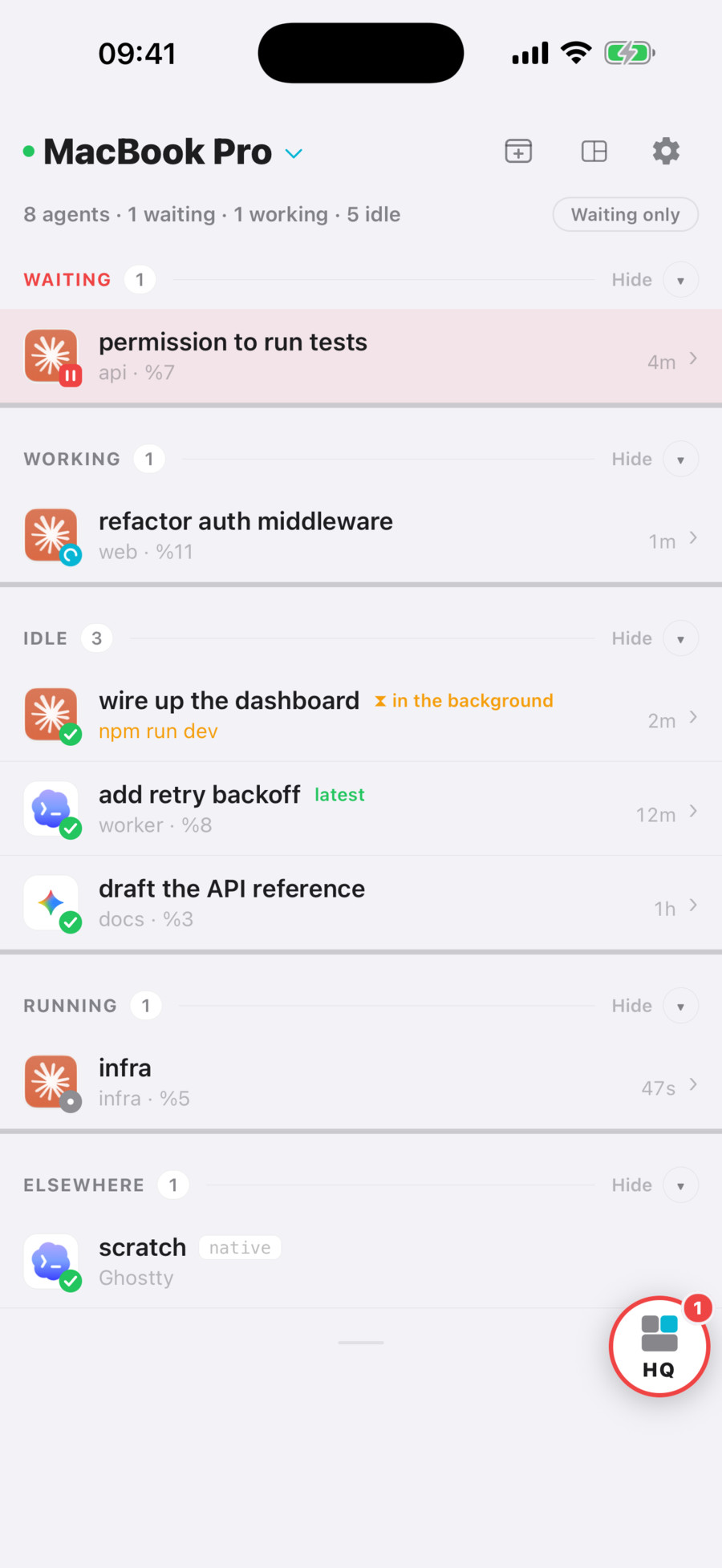
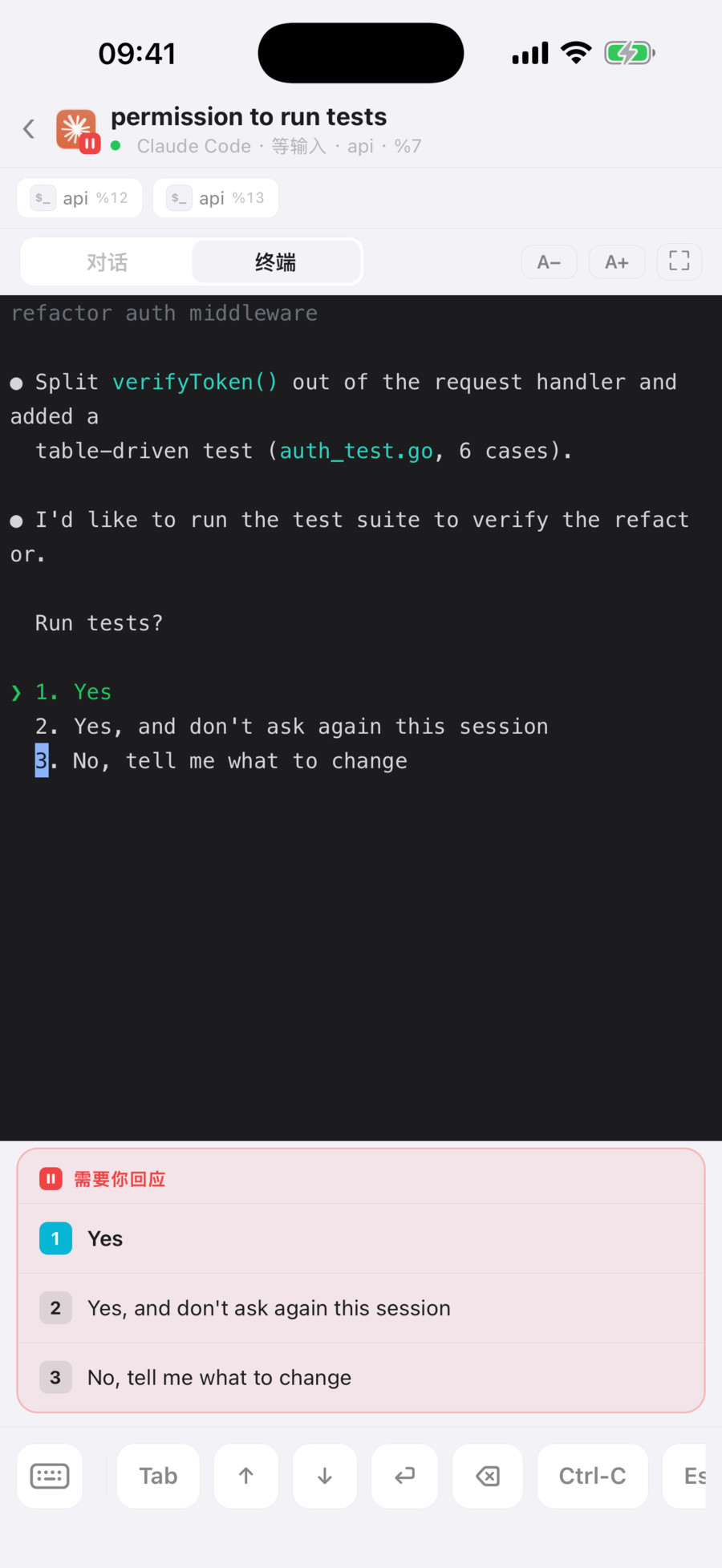
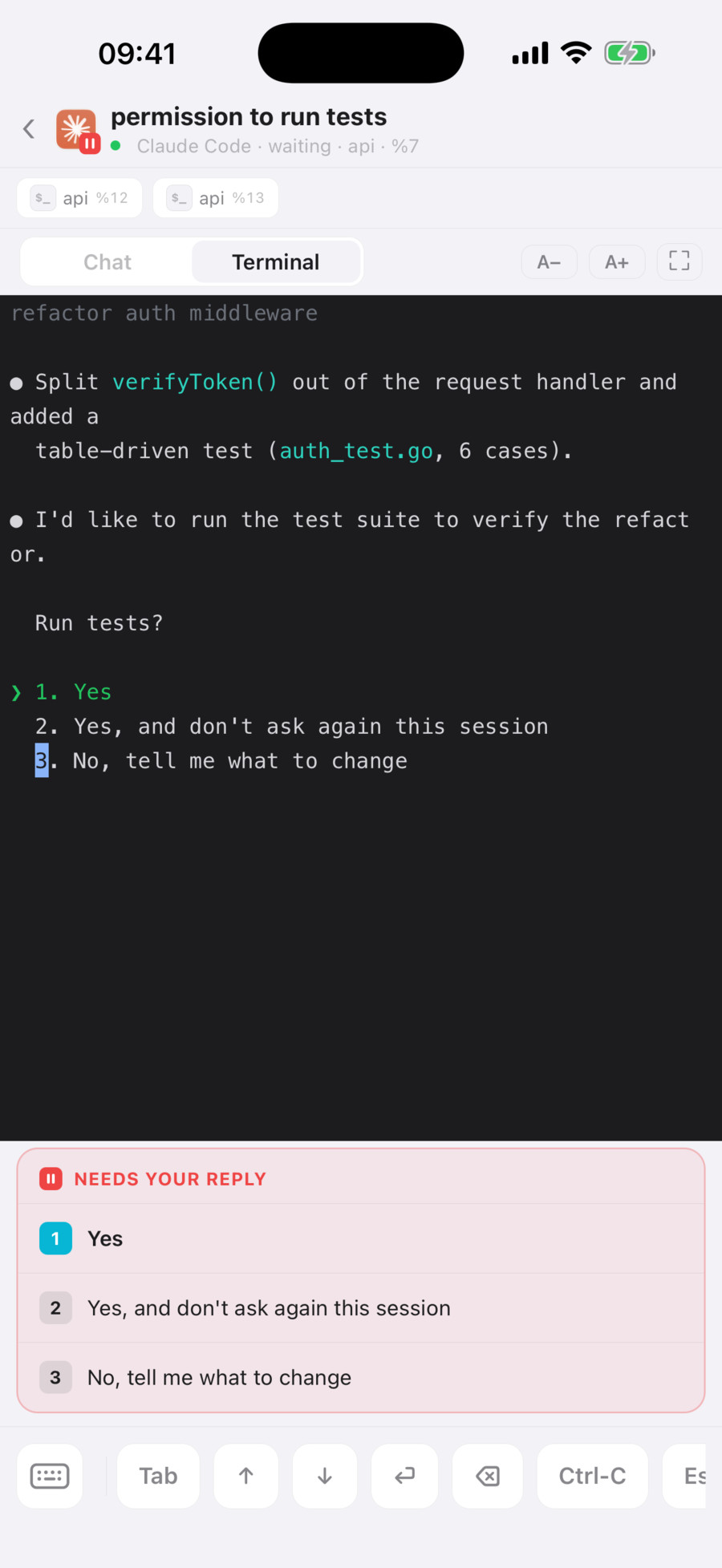
agent 跑完或停下来问你时,手机会收到推送。点开就进了那个 pane:读屏、看它改了什么,用 1 / 2 / 3 回答它的提问,或者直接打字。 When an agent finishes or stops to ask, your phone gets a push. Tap it and you are in that pane: read the screen, see what it changed, answer its question with 1, 2 or 3, or type a reply.
- iPhone 和 iPad:雷达、实时终端、锁屏推送;支持的 iPhone 上还有灵动岛。 iPhone and iPad: the radar, the live terminal and lock-screen pushes, plus the Dynamic Island on supported iPhones.
- 浏览器:同一块雷达和终端,不用装任何东西。 Any browser: the same radar and terminal, nothing to install.
- 另一台电脑:
gtmux attach把那个 pane 接到你眼前的终端里。 Another computer:gtmux attachbrings the pane into the terminal in front of you. - 配对一次:
gtmux pair给出一次性配对码,扫码、打开链接、粘贴命令都行。跨网络使用时,在 Mac 上开gtmux tunnel,并让它保持唤醒。 Pair once:gtmux pairshows a one-time code to scan, open or paste. To reach the Mac from another network, turn ongtmux tunneland keep the Mac awake. - 拉人进来:
gtmux share new生成一条可撤销的访客链接,逐个 pane 决定对方能看还是能输入。 Bring someone in:gtmux share newmakes a revocable guest link; you decide, pane by pane, what they can see and where they can type.
盯场的事,交给 HQ。 Hand the watching to HQ.
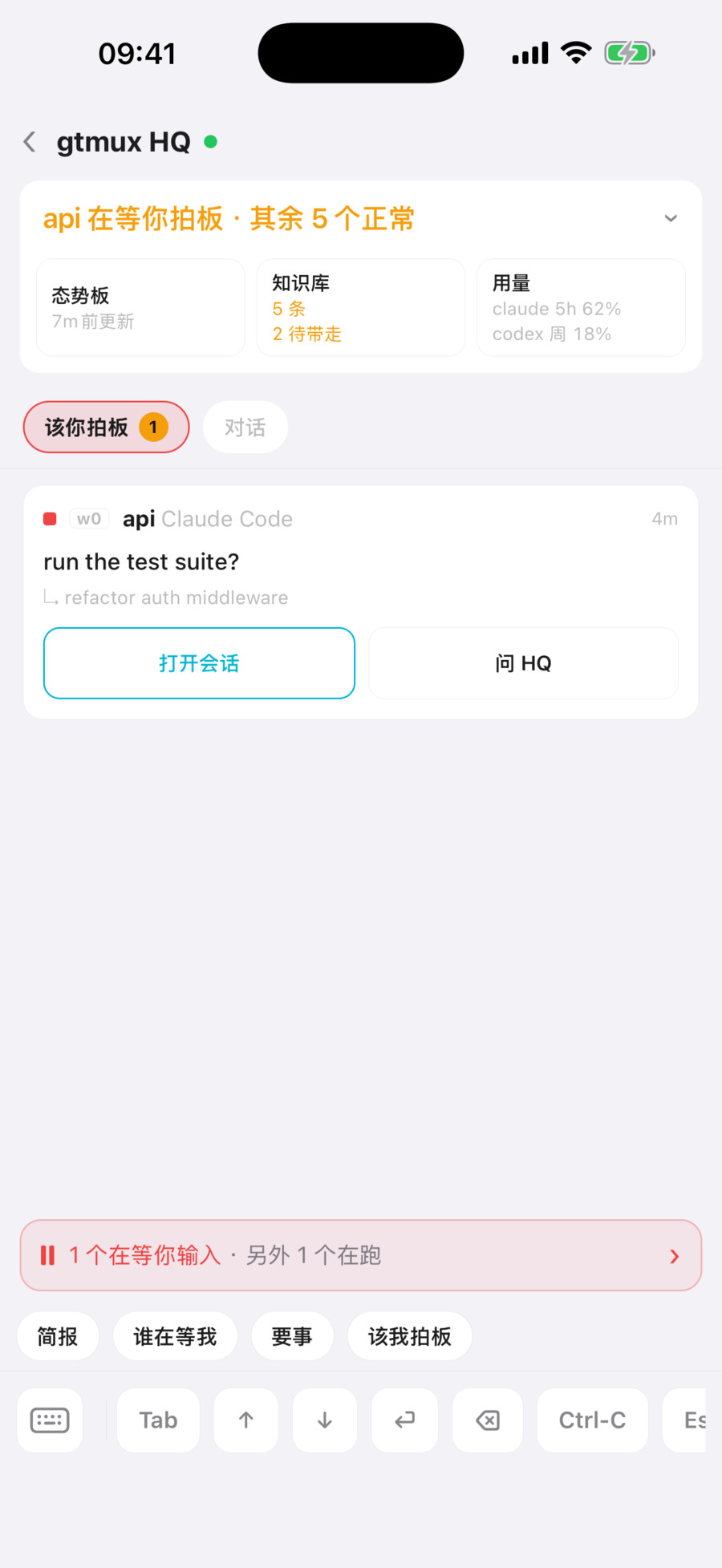
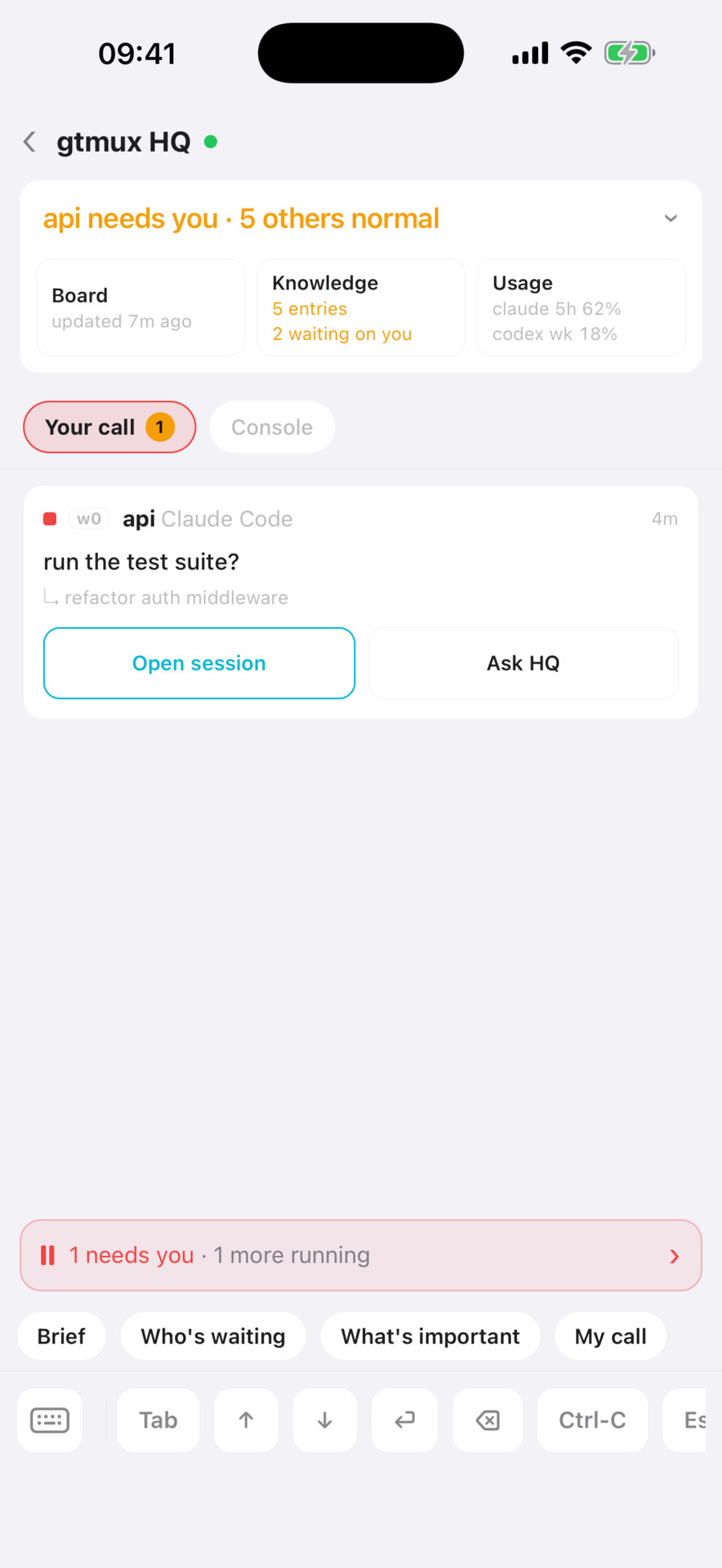
HQ 本身也是一个 agent,专门管其他 agent。它读每一条事件、维护态势板、分轻重、派活收活,只把需要你判断的事,带着来龙去脉拿给你。 HQ is an agent whose job is the other agents. It reads every event, keeps the board, sorts what matters, hands out and reclaims work, and brings you only what needs your judgment, with the context attached.
gtmux hq 用你已经在用的 agent 来跑,Claude Code、Codex 都行。 It runs on the agent you already use, Claude Code or Codex.
- 只在该醒时醒Woken only when it counts
agent 等你、跑完、出错、换了目标,gtmux 才叫醒它;其余事件它按自己的节奏去读。没有新情况的定时检查,一个 token 都不花。gtmux wakes it when an agent waits, finishes, fails or changes its goal; everything else it reads at its own pace. A scheduled check with nothing new costs no tokens.
- 态势板A board that outlives it
每个会话在做什么、卡在哪,都写在态势板上。HQ 自己重启、换了新会话,也能接着干。What each session is doing and where it is stuck lives on a board, so HQ picks up where it left off after a restart or a fresh session.
- 分轻重Sorted by weight
每个事件标成日常、值得注意或要紧。要紧的先找你,日常的只记下;嫌吵就用
gtmux quiet调高门槛。Every event is tagged routine, notable or important. Important ones reach you first, routine ones are only logged; if it is too chatty,gtmux quietraises the bar. - 能定的自己定Decides what it may
可逆、低风险、在你们谈过的范围内的事,它自己拍板;其余的放进「该你拍板」,等你一句话。Reversible, low-risk work within the scope you have discussed, it decides itself; the rest goes into “Your call” and waits for a word from you.
- 派活和收活Dispatch and reclaim
gtmux spawn起新 agent,并确认任务真的送到了;gtmux tasks记账;gtmux reap只在分支已合入、工作区干净时才回收。gtmux spawnstarts an agent and confirms the task actually landed;gtmux taskskeeps the ledger;gtmux reapreclaims a worktree only once its branch is merged and the tree is clean.
- 随问随答Ask any time
「现在怎么样?」「谁在等我?」「有什么要紧的?」一句话问,它把全场讲给你;有变化时每 10 分钟汇总一次。“status?”, “who’s waiting?”, “what’s important?” Ask and it walks you through the fleet; when things change, it sums up every 10 minutes.
- 越用越懂你Learns from you
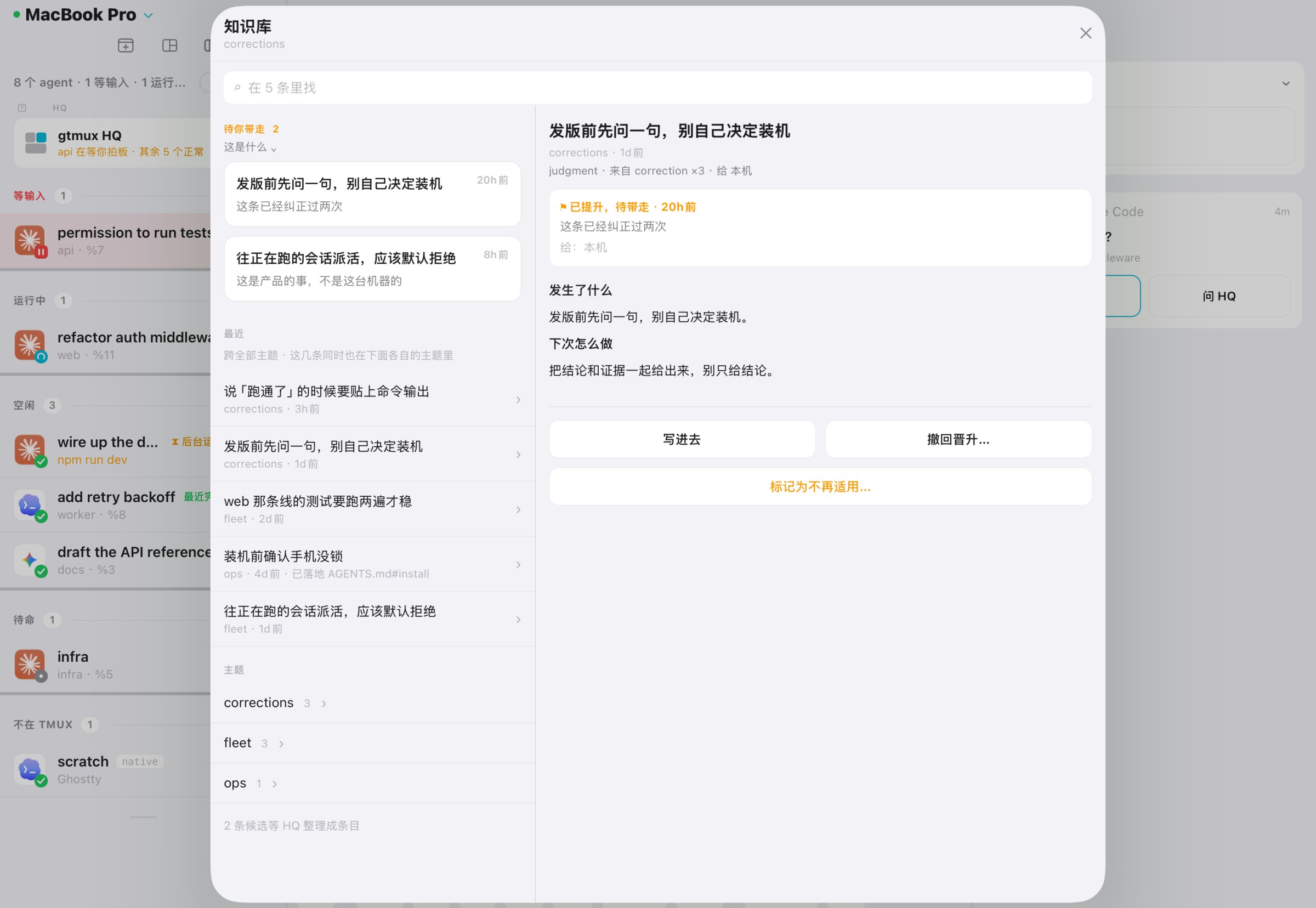
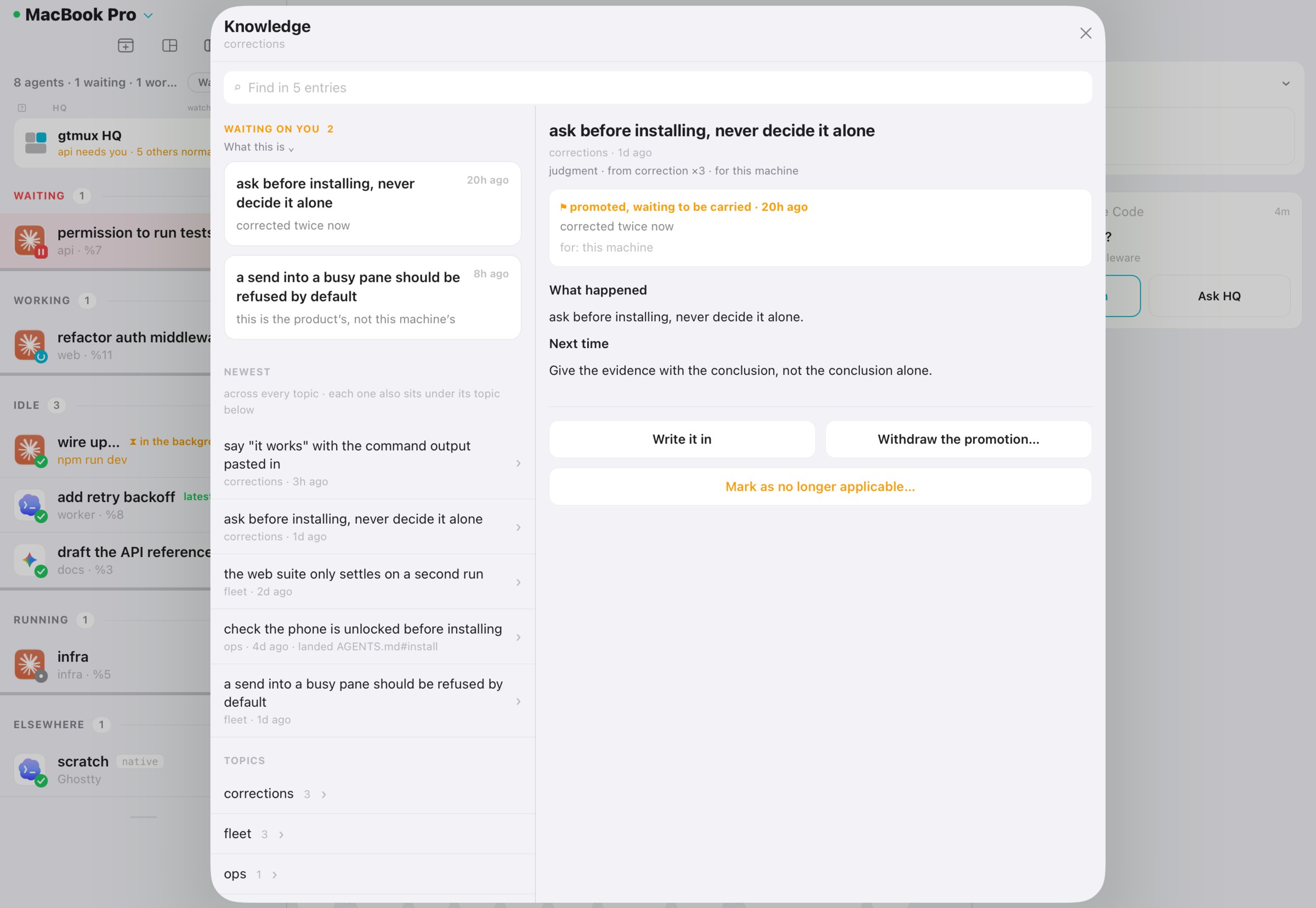
你纠正一次,它就记进知识库;每天还会翻各个 agent 的会话记录,找出被纠正过的地方。值得全机共享的经验,会写进本机各个 agent 的说明文件。Correct it once and the lesson goes into its knowledge base; every day it also reads the agents’ session logs for corrections. Lessons worth sharing are written into the instruction files of the agents on your Mac.
- 看得住自己Keeps itself sharp
会话太长、太久,它会写好交接,自己换一个新会话,判断不走样;还会定期检查自己写下的东西。When its session grows too long or too old, it writes a handover and starts fresh, so its judgment stays sharp; it also audits its own notes from time to time.
- 档案带得走Goes with you
gtmux hq --export打包它的全部档案:态势板、知识库和你的规则,换台 Mac 用--import接着用。你的长期规则写在LOCAL.md,升级不会覆盖。gtmux hq --exportpacks up its records: the board, the knowledge base and your rules;--importon another Mac carries on. Your standing rules live inLOCAL.md, which updates never overwrite.
东西都在你自己的 Mac 上。 It all stays on your Mac.
不用注册No account
装上就用,没有注册,没有登录。Install and go. No sign-up, no login.
不收集数据No tracking
没有统计和遥测。iPhone app 在 App Store 上标的是「不收集数据」。No analytics, no telemetry. The iPhone app is listed as “Data Not Collected”.
算力在本机Your machine does the work
agent、代码和凭据都在你的 Mac 上。只有远程访问才经过隧道,推送只带一句状态。Agents, code and credentials stay on your Mac. Only remote access crosses a tunnel, and a push carries one status line.
开源Open source
MIT 协议,代码可以读、可以审、可以改。MIT licensed. Read it, audit it, change it.
隐私政策写清了每一项数据 → The privacy policy covers every piece of data →
常见问题 Questions
一定要用 tmux 吗?Do I have to use tmux?
完整功能都在 tmux 里:雷达、跳转、回复、attach。tmux 让终端会话在窗口关掉、网络断开后继续跑,正适合挂长任务的 agent。tmux 外的 agent 会话装了 hook 也能看到(只读),能续接的可以用 gtmux adopt 搬进 tmux。没用过 tmux?从官方入门开始,十分钟够了。 Everything works inside tmux: the radar, jumping, replying, attaching. tmux keeps a terminal session alive after the window closes or the network drops, which is exactly what long-running agents need. Agent sessions outside tmux still show up read-only once the hook is installed, and a resumable one can move into tmux with gtmux adopt. New to tmux? The official Getting Started takes ten minutes.
支持哪些 agent?Which agents does it support?
支持 Claude Code、Codex、OpenCode 等 8 款 coding agent。查看接入方法。 Supports eight coding agents, including Claude Code, Codex and OpenCode. See setup instructions.
支持哪些终端?Which terminals does it work with?
除了「一键跳到 pane」,其余都只依赖 tmux,任何能跑 tmux 的终端都行。跳转需要 gtmux 能控制的终端:Ghostty 1.3 及以上、iTerm2、cmux;Warp 尽力支持,能把 Warp 切到前台,但不一定落到准确的标签页。我们推荐 Ghostty + tmux + gtmux。 Everything except jumping to a pane needs only tmux, so any terminal that runs tmux works. Jumping needs a terminal gtmux can drive: Ghostty 1.3 or later, iTerm2, or cmux. Warp is best effort: gtmux brings Warp forward, but may not land on the exact tab. We recommend Ghostty + tmux + gtmux.
离开电脑时,我的代码会被传出去吗?Does my code leave my Mac?
不会经过 gtmux 的服务器。手机和 Mac 之间直连;跨网络时走隧道,只负责传输,不查看也不存储。推送经过中继,只带一句状态和设备的推送 token,没有终端内容。详见隐私政策。 Not through any gtmux server. Your phone talks to your Mac directly; across networks a tunnel carries the traffic without reading or storing it. Pushes pass through a relay that sees one status line and the device’s push token, never terminal content. Details in the privacy policy.
只能用在 Mac 上吗?Is it Mac only?
gtmux 目前跑在 macOS 上。连上它的方式不止 Mac:iPhone、iPad、任意浏览器,或另一台电脑的终端。 gtmux itself runs on macOS today. You can reach it from much more: an iPhone, an iPad, any browser, or the terminal on another computer.
收费吗?What does it cost?
CLI、菜单栏 app 和 iPhone / iPad app 都免费,代码开源。 The CLI, the menu-bar app and the iPhone / iPad app are free, and the code is open source.
开始使用 Get started
- 1 安装Install CLI 和菜单栏 appthe CLI and the menu-bar app
curl -fsSL https://raw.githubusercontent.com/chenchaoyi/gtmux/main/install.sh | bashbrew install chenchaoyi/tap/gtmux brew install --cask chenchaoyi/tap/gtmux-app - 2 设置Set up 检查环境,缺什么补什么,每一步先问你checks your setup and fixes what is missing, asking first
gtmux doctor - 3 连上手机Add your phone 可选;用 iPhone / iPad app 扫码optional; scan it with the iPhone / iPad app
gtmux pair